MyScholarShop
Frequently Asked Questions
Yes, parents are able to use Amazon Prime or other online retailiers to make purchases. While Amazon is not listed as a vendor on MyScholarShop, there are no restrictions on which vendors or retailers can use outside of MyScholarShop, as long as the item(s) purchased are approved expenses. When making purchases on Amazon Prime or other online retailers, parents will need to submit a reimbursement request. For more information about the reimbursement process, please see our Reimbursement Guide for detailed instructions.
No. Step Up For Students does not profit from any transaction made on MyScholarShop.
At Step Up For Students, we believe families deserve choice, confidence, and convenience. Our goal is to make it easier for you to discover quality educational products and use your scholarship funds with peace of mind. We also welcome suggestions for new vendors who can help us expand our selection.
Step Up For Students reviews all items offered by our suppliers to make sure they fall within the preapproved categories for the education savings account (ESA) programs. This process helps ensure that the products you see in MyScholarShop are already verified for eligibility, so you don’t have to worry about a purchase being denied.
If you’d like to suggest an item or provider that isn’t currently available, you can submit it for review. Our team will evaluate your request to determine if it can be added.
The rules and laws for usage of funds differs from scholarship program to scholarship program. For example, the Family Empowerment Scholarship Program for Students with Unique Abilities (FES-UA) has a limit on how often families can utilize their scholarship funds to purchase technology devices for their students. Items with such limits will be reviewed internally before the order is placed. If the item was purchased before the two-year allowable limit of the last purchase, the order will be denied.
For more information, view the Purchasing Guide and Program Handbooks on our Resources Page.
Each supplier’s contact information is available online. You can look up phone numbers, emails and other details directly through our vendor directory.
Parents are always welcome to “shop around” for the best price. However, MyScholarShop offers the value of a one-stop shopping experience for your child’s educational needs. Every item in MyScholarShop is preapproved and can be purchased directly with your scholarship account, so you don’t have to pay out of pocket and wait for reimbursement. In addition, Step Up works closely with suppliers to negotiate pricing, helping ensure that the items available through MyScholarShop are competitively priced for our scholarship families.
The Step Up purchasing team works directly with suppliers to make sure MyScholarShop offers families the most competitive pricing possible.
This varies depending on the time of year and the number of orders being manually processed. Our goal is to keep this down to 7 business days or less. Parents and guardians should allow up to 60 days for reimbursement requests to be reviewed and processed after all required documentation has been submitted.
Follow these steps to finish your shopping session on MyScholarShop:
- Select the cart icon in the upper-right corner.
- Review the details for your item(s) and then select Check out.
- Review the items in your cart, confirm the shipping address, populate any policy and pre-authorization fields and then select Submit to complete your purchase.
- The order will display as Submitted while awaiting approval and Approved after it has been auto approved or reviewed.


This quick reference guide is intended to provide information on how to select items and start the purchasing process.
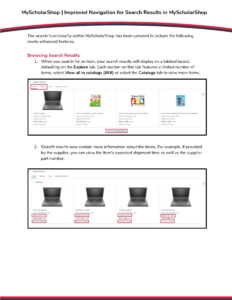
The following statuses are possible when ordering items in MyScholarShop:
- Composing: The request is still pending, and the items in the shopping cart have not been submitted for purchase yet. To submit this order, please access your shopping cart and select "Submit".
- Submitted: The request has been submitted, and is still pending review by a Step Up processor.
- Approved: The order has been approved and sent to the supplier(s) for fulfillment.
- Denied: Items that required review from a Step Up For Students approver have been denied. The parent can resubmit the request with an appeal reason.
- Ordering: A fully approved order is in the process of being generated. Once the order is fully generated, it will be sent to the supplier(s) for fulfillment and the status will be updated to “Ordered”.
- Ordered: All orders associated with a requisition have been transmitted to the supplier(s).
- Canceling: The order was canceled after it was placed.
- Cancelled: An order canceled after being submitted and approved.
Once the supplier receives the order, they should reach out to you via the primary e-mail address we have on file to provide you with information about how to access your subscription.
If you do not hear from the supplier in a timely manner, please use the contact information listed for the supplier in MyScholarShop or on our Vendor and Product Information page to contact the supplier directly.
It typically takes approximately 7 business days after a child has been funded for their account to be activated in MyScholarShop.
If your student’s account has not been created/activated within 7 business days, please contact our support team.
We review the list or orders that have been fully cancelled/rejected by our suppliers on a weekly basis and close those orders out to return the funds to the student’s ESA.
If a supplier partially cancels or rejects part of an order, we must wait until all approved items have been invoiced before we can close the order. This is dependent on the individual supplier, but orders should be closed and funds returned within 90 days.
Please select the supplier from our Vendor and Product Information page to view their return policies and contact information.
All purchases made through MyScholarShop are fulfilled by third-party vendors. These vendors handle all shipping, customer service, and product support directly. If you need assistance with your order, please visit the vendor’s page on MyScholarShop. There, you can find the vendor’s customer support information, as well as their return and exchange policies.
All purchases made through the direct buying platform (such as Amazon or MyScholarShop) are shipped to the mailing address provided in the guardian’s EMA profile
There is one exception: dependent children of active-duty U.S. Armed Forces members who have received Permanent Change of Station (PCS) orders to Florida, or whose home of record/state of legal residence is Florida at the time of renewal.
At this time, our systems cannot process shipments to out-of-state or international addresses.
All items shown in MyScholarShop are generally eligible for your student’s scholarship program. However, some products have additional rules or limits. For example, under the Unique Abilities Scholarship Purchasing Guide, a student may only receive one laptop every two years. In cases like this, your order may require extra review before it can be approved.
For more information, you can review the Purchasing Guide for your student’s program on our Resources page.
Each supplier on MyScholarShop manages how often they update their catalogs. Because of this, sales may sometimes appear on MyScholarShop after they’ve already been advertised on a company’s own website. In addition, the platform does not currently support flash sales, limited-inventory promotions, or real-time inventory updates, which means those types of discounts cannot be offered through MyScholarShop.
While all of the items on MyScholarShop have been reviewed for eligibility, we do enforce additional rules (e.g. around frequency of purchase). If an order does not meet the necessary requirements, it will be denied and a denial reason will be added to the comments on the order:

MyScholarShop was designed to give Education Savings Account (ESA) families a convenient one-stop online marketplace for their students’ educational needs. It allows families to purchase program-eligible instructional materials and curriculum directly with scholarship funds—without having to pay out of pocket and wait for reimbursement.